Munchkin Touch Free Wipe Warmer
The Munchkin Touch Free Wipe Warmer (model 21315) is a motion-sensor baby wipe warmer with an adjustable nightlight that we got off our registry and have used daily on our changing table. Short version: it’s worth it — the warm wipes and hands-free lid genuinely make diaper changes smoother — with two things to know first: it has no on/off switch (it warms continuously the whole time it’s plugged in), and the wipe well is deep, so you’ll want to keep it topped off. Here’s my full, first-hand take.
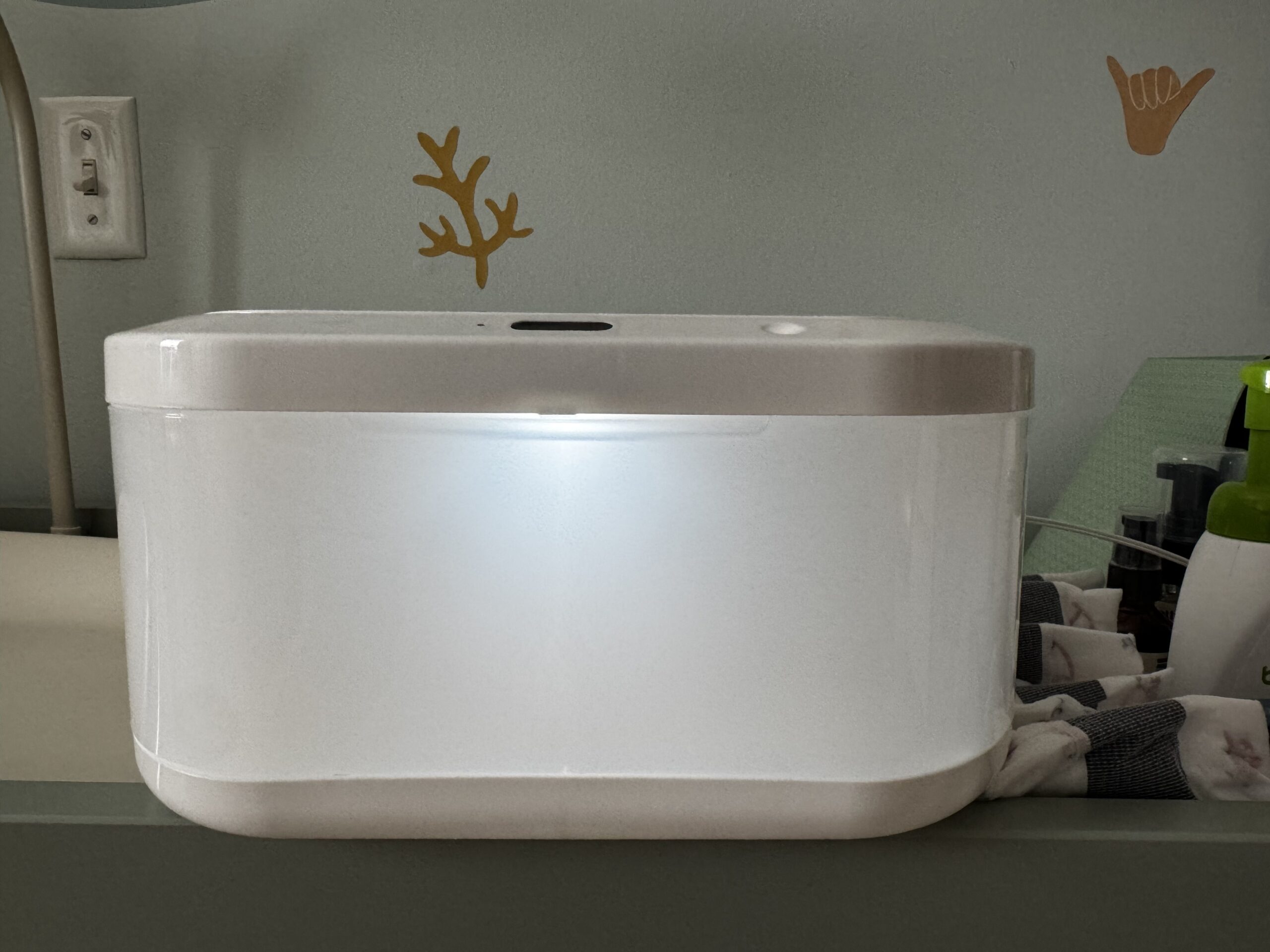
Munchkin Touch Free Wipe Warmer: specs at a glance
| Product | Munchkin Touch Free Baby Wipe Warmer with Nightlight & Motion Sensor |
| Model | 21315 |
| Warming | Low-voltage, gentle top-down warming |
| Capacity | Up to ~100 standard wipes |
| Wipe compatibility | Any brand of standard wipes |
| Lid | Touch-free motion sensor (wave to open) |
| Nightlight | Adjustable brightness; auto-off after ~15 min |
| Power | Plug-in — no on/off switch (always warming when plugged in) |
| Plug | US plug (adapter needed abroad) |
| Weight | ~2.35 lb |
| Price | Around $50 |
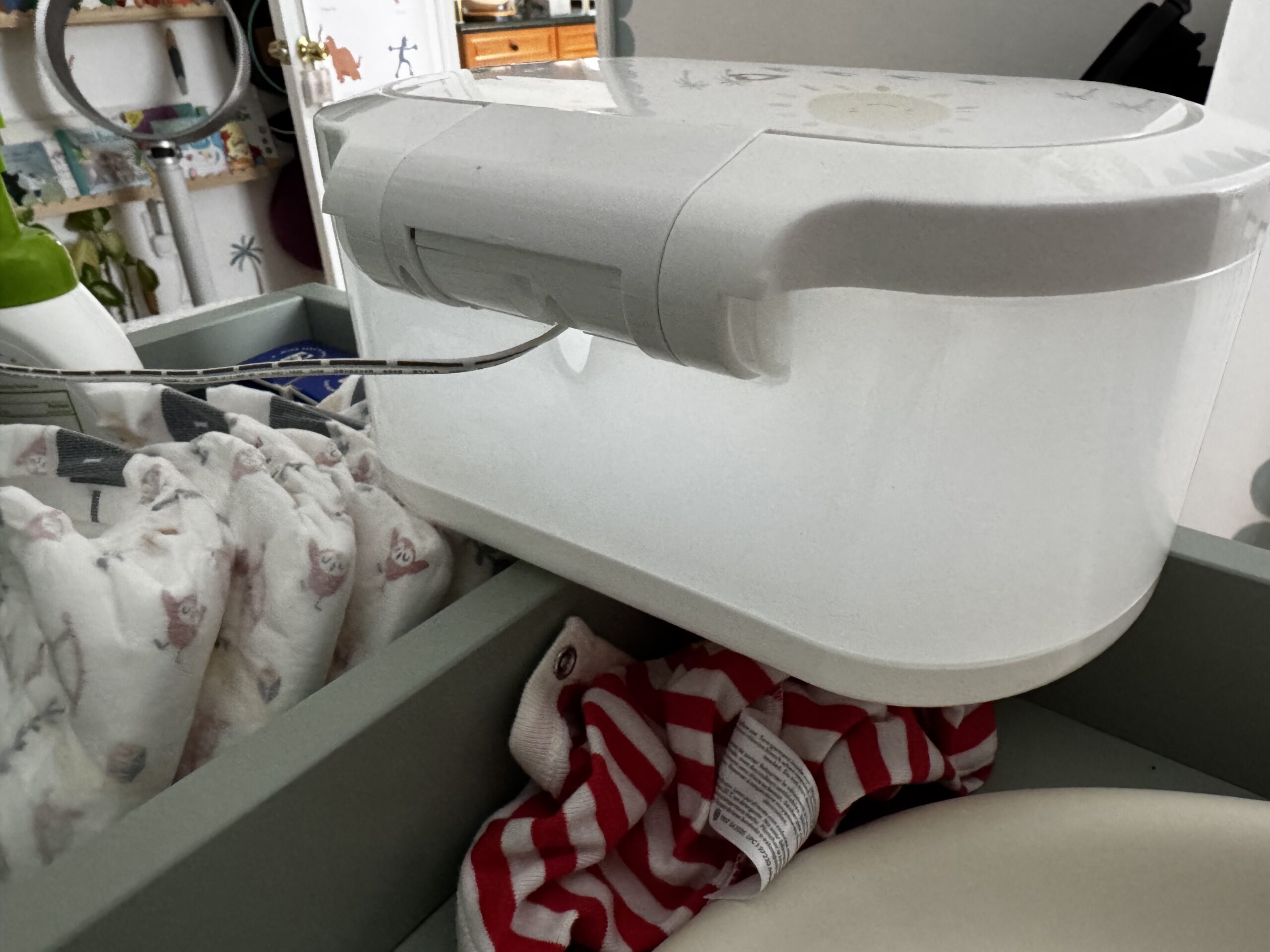
Pros and cons
What’s good:
- Touch-free motion-sensor lid — a real help when your hands are full mid-change
- Gentle, safe warmth (never hot) that’s easy on newborn skin
- Adjustable nightlight that auto-shuts off — great for overnight changes
- Works with any brand of wipes
- Simple, clean nursery-friendly design
What to watch:
- No power switch — it warms continuously once plugged in
- Deep well means you dig for wipes as the stack gets low
- US plug only
- Some owners report longevity issues (though Munchkin support gets good marks for replacements)
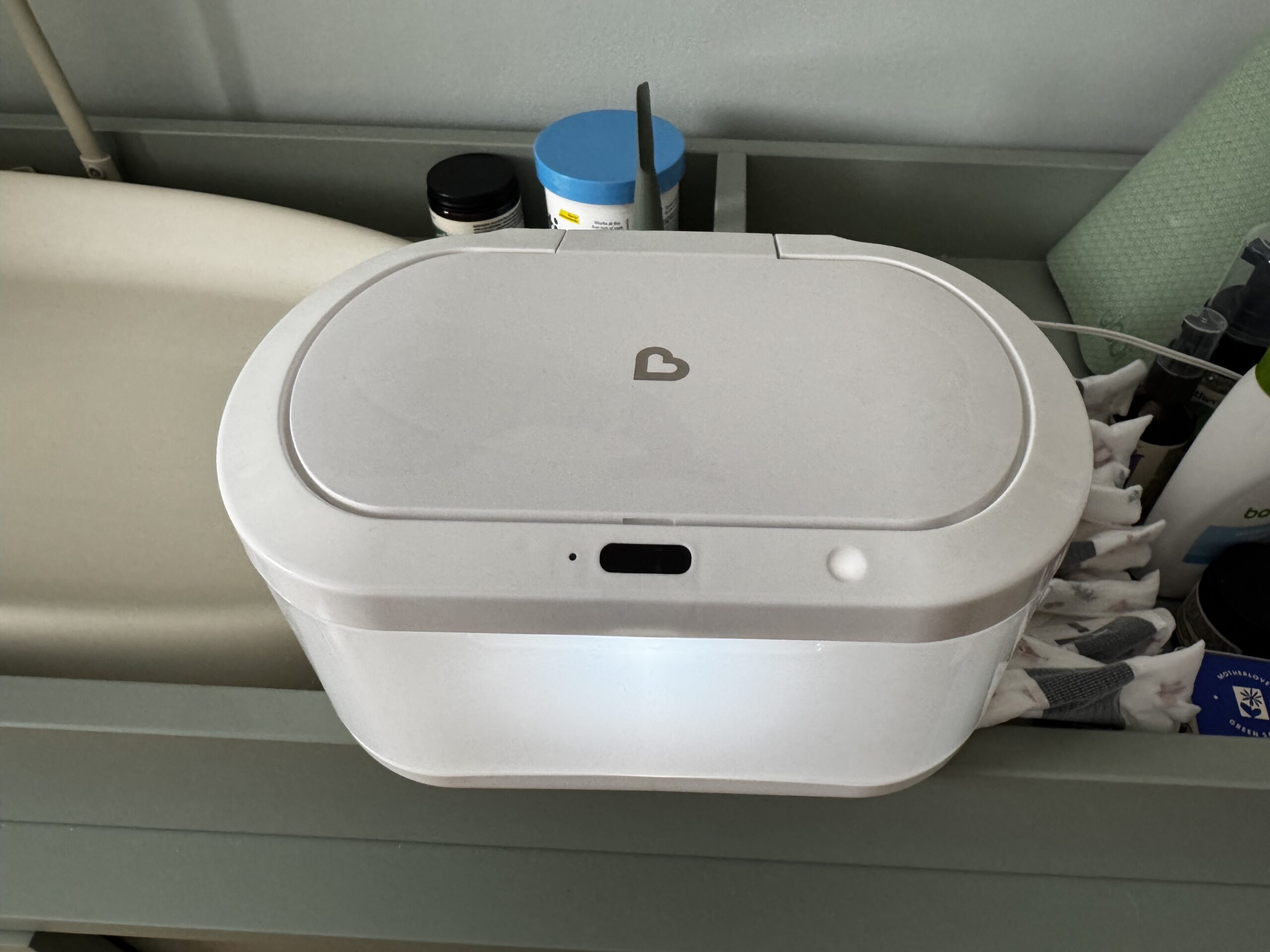
How the Munchkin Touch Free Wipe Warmer works
It’s about as simple as a nursery gadget gets. A low-voltage cord plugs into the base and into the wall, and it gently warms the wipes from the top so they’re not shock-cold on baby’s skin. Wave a finger over the motion sensor and the lid pops open — no clean-hand-on-a-messy-lid required. A small button adjusts the nightlight brightness, and the light automatically shuts off after about 15 minutes so it’s not glowing all night.
What I like after months of daily use
The touch-free lid is the standout. When there’s a mess in progress, not having to grab and twist a lid with a clean hand is a small thing that adds up fast. The warmth is dialed in well too — a gentle, room-temperature-plus warmth, never hot, which is exactly what you want on a newborn. And the adjustable nightlight has quietly become my favorite feature for middle-of-the-night changes.
The one real annoyance: the wipes are hard to reach
Here’s the honest gripe, and it’s true of pretty much every wipe warmer I’ve used (we have a different one elsewhere in the house): the well is deep. To fill it to the top you’d empty something like three packs of wipes in there, and as the stack dwindles you end up reaching further and further down, digging for the next wipe — not ideal mid-change.
The fix I use: set a small box or riser — something you don’t mind getting a little damp — in the bottom of the well to prop the wipes up closer to the opening. Keeps them within easy reach instead of buried at the bottom. If you buy one, I’d do this from day one.
Important: it’s always on once plugged in
This is the big thing to know. There’s no power switch — the only button controls the nightlight — so the moment it’s plugged in, it’s warming. We unplug ours when we’re not actively using it, which for us is often, so I keep it somewhere the plug is easy to reach. It’s not a dealbreaker, but if you were expecting a simple on/off button, there isn’t one.
Who should buy it
If you’re on the fence about wipe warmers in general: you don’t need one, and plenty of babies are perfectly happy with room-temp wipes. But if you do a lot of overnight changes, or your little one protests the cold, the combination of warm wipes + touch-free lid + nightlight makes the whole routine noticeably smoother. That’s the case for this one, and it’s why we’re keeping ours.
Where to get it
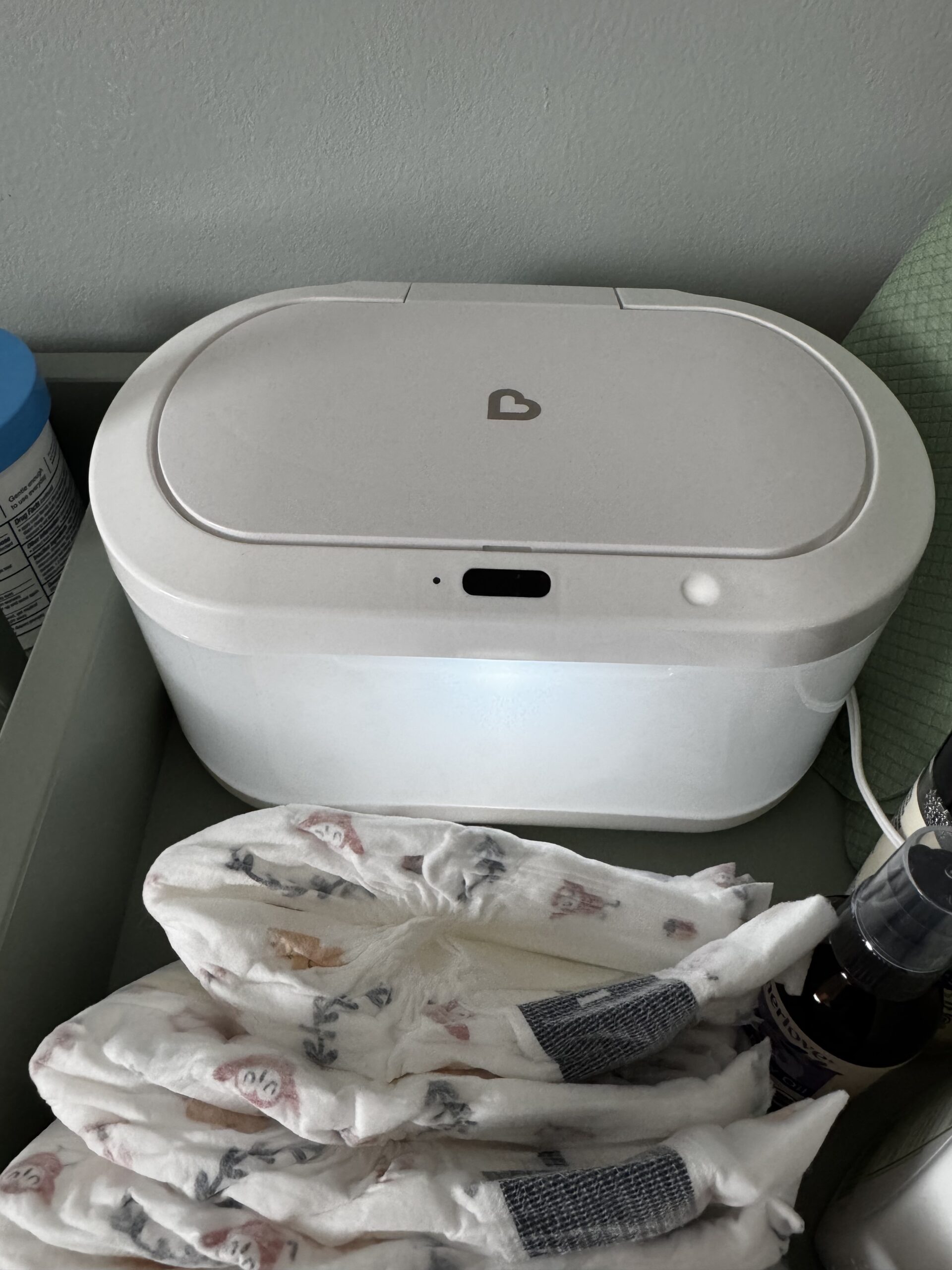
Munchkin Touch Free Wipe Warmer on Amazon.
Munchkin Touch Free Wipe Warmer FAQ
Does the Munchkin Touch Free Wipe Warmer have an on/off switch?
No. There’s no power switch — the only button adjusts the nightlight. Once it’s plugged in it warms continuously, so many owners (myself included) unplug it when it’s not in use.
Is the Munchkin wipe warmer always on? Is it safe to leave plugged in?
Yes, it’s designed to run continuously whenever it’s plugged in — it’s a low-voltage warmer that won’t heat wipes beyond a safe warmth. If you’d rather not leave it running, simply unplug it between uses.
How many wipes does the Munchkin wipe warmer hold?
Up to about 100 standard wipes. It works with any brand. Because the well is deep, it performs best kept topped off.
Why are the wipes hard to reach, and how do I fix it?
The well is deep, so as the wipe stack gets low you have to reach down for them. The easy fix is to place a small waterproof box or riser in the bottom of the well to lift the wipes closer to the opening.
Do the wipes dry out in it?
The warmer helps prevent drying and discoloration, but the top exposed wipe can dry out faster. Keeping the well full and adding a little water when you refill helps.
Can you use any brand of wipes?
Yes — it’s compatible with standard wipes from any brand.
Does the nightlight stay on all night?
No. The brightness is adjustable and the nightlight automatically shuts off after about 15 minutes — long enough for a change without lighting the room all night.
Does it come with a US or UK plug?
It ships with a US plug, so if you’re outside the US you’ll need a plug adapter.
Is the Munchkin Touch Free Wipe Warmer worth it?
For overnight changes or a baby who dislikes cold wipes, yes — the warm wipes and touch-free lid genuinely make changes smoother. If your baby doesn’t mind room-temp wipes, you can skip a warmer altogether.
Final thoughts
Simple, useful, and a nice quality-of-life upgrade for diaper duty — just remember it’s always on once plugged in, and plan for that deep well. We use ours every day and would buy it again. Prefer to see it in action? I walk through all of this in the video above.